
The older you get, the more you may struggle with the use of a computer. Sooner or later we all experience some loss of vision, hearing, or physical dexterity. Fortunately, personalization options in Windows make it easy to adjust your PC.
As a lot of the Hakisa community members are Windows users, we decided to share the “10 Tips for the Awkward Age of Computing” with you on our blog.
Have a look on the first 5 of 10 tips illustrated with cartoons from Brian Bassett on how to counter the effects of aging to make your computer more comfortable to use.
#1 A Screen Too Far
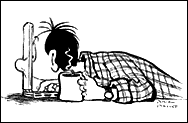 Do you find yourself fighting the urge to press your nose against the screen because you can’t see text and objects clearly? Consider changing your monitor display settings to increase the size of icons or text for individual documents and Web pages.
#2 Built-in Bifocals
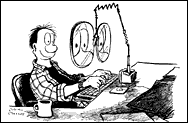 Having trouble seeing things that are close up? Magnifier, one of the accessibility utilities in Microsoft Windows, opens a window that enlarges all or parts of the screen you choose – just like a magnifying glass.
#3 Lights, Camera, Action
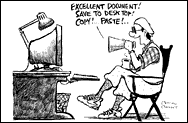 If stiff joints or other dexterity issues are slowing you down, try using Windows Speech Recognition to write email and documents by speaking commands rather than using the keyboard and mouse.
#4 Tune In, Tune Out
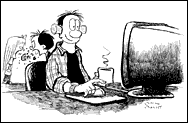 Are you having trouble hearing email alerts and other audible notifications of system events? Try to adjust the sound volume of your computer or use text or visual alternatives to sounds.
#5 Talk to Me
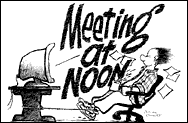 If your vision is beyond the point where magnification is enough, Narrator in Windows can help by converting text and captions to speech. If this problem is persistent, you may need a device called a screen reader.
By the way, if you want to change your settings and you don’t know how, you can find detailed information on every problem on the Microsoft.com homepage. The next 5 tips are coming soon in an extra post!
Courtesy of Brian Basset and Microsoft Corporation